
Explore
Discover location-based content and nearby experiences — missions, quests, groups and places worth visiting.
Now available on Google Play
Discover digital memories, explore nearby places, share moments, and connect with people through the world around you.
Why GeoWeChat
Most social apps live entirely on a screen. GeoWeChat ties posts and memories to the places they belong, so exploring your neighbourhood, campus or a new city becomes a way to find stories — and the people behind them.
Discover location-based content and nearby experiences — missions, quests, groups and places worth visiting.
Create and revisit digital memories associated with places, so the story stays where it happened.
Chat with friends, send a wave, join drop-in groups, and even message nearby phones without internet.
Features
From memories at real places to Shorts, 3D characters, calls, quests, drop-in groups and offline chat, here’s what GeoWeChat brings to the world around you.
01Explore
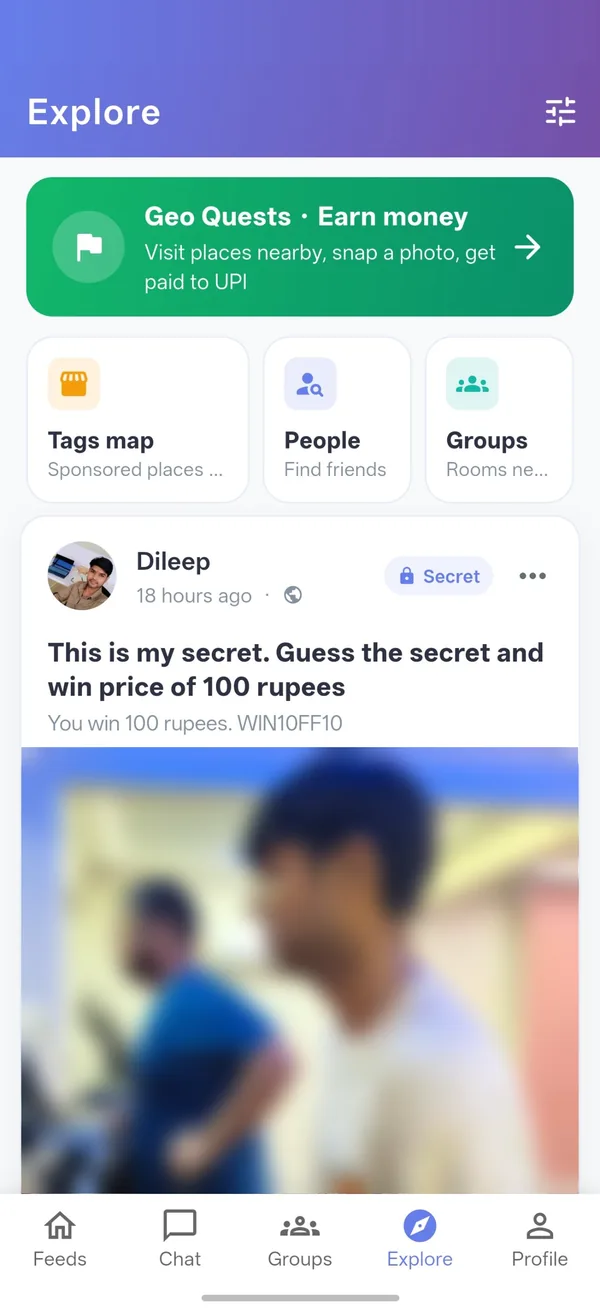
The Explore tab is your window onto the places nearby: Missions to complete, Geo Quests to take on, the Tags map of sponsored places and Groups around you — plus a Discovery map of every memory, video, tag and secret others have shared nearby.
02Memories
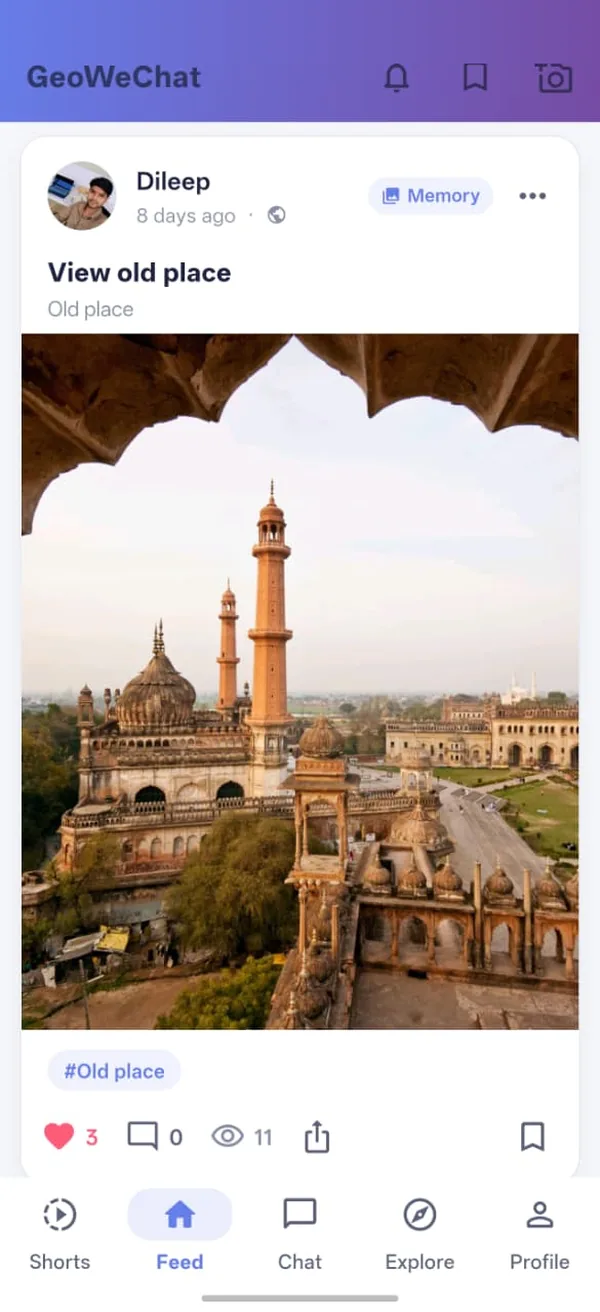
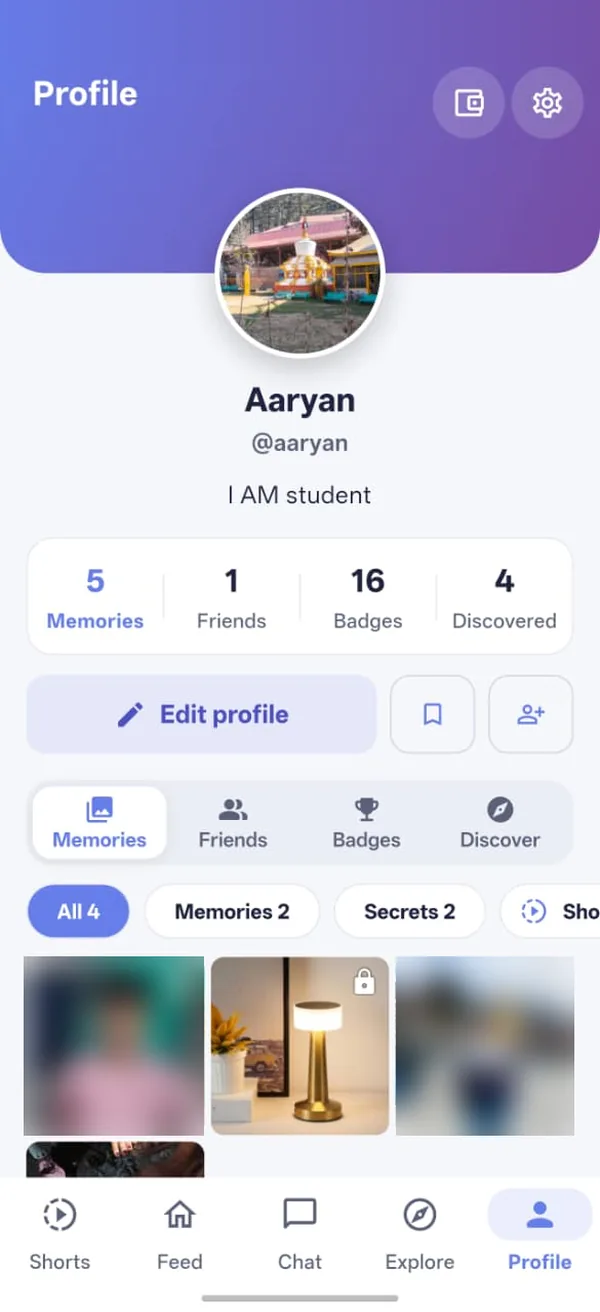
Post photos, videos and text as Memories tied to a place. Add a title and tags, then let friends like, comment, save and share them. Memories stay on the map until you delete them — or choose a disappear timer when you post.
03ShortsNew
Swipe through vertical Shorts in three feeds — For You, Following and Nearby. Make your own in the Shorts Studio: trim your clip, add text and stickers, pick a colour filter, then post it with a caption and #hashtags.
04Chat & connections
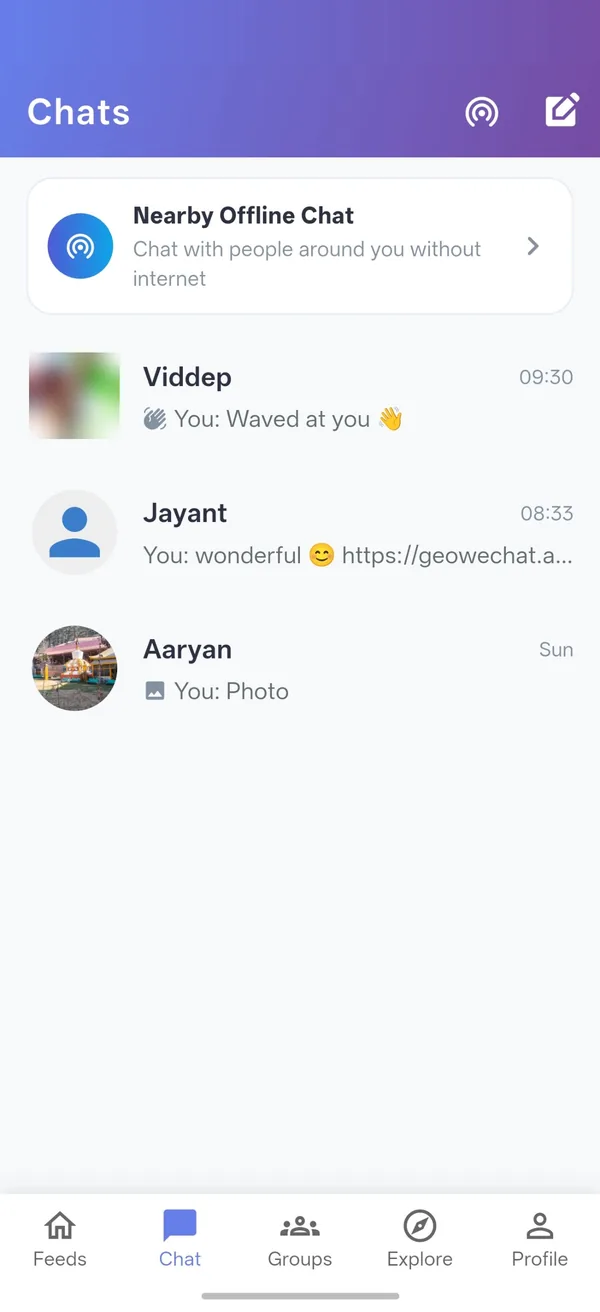
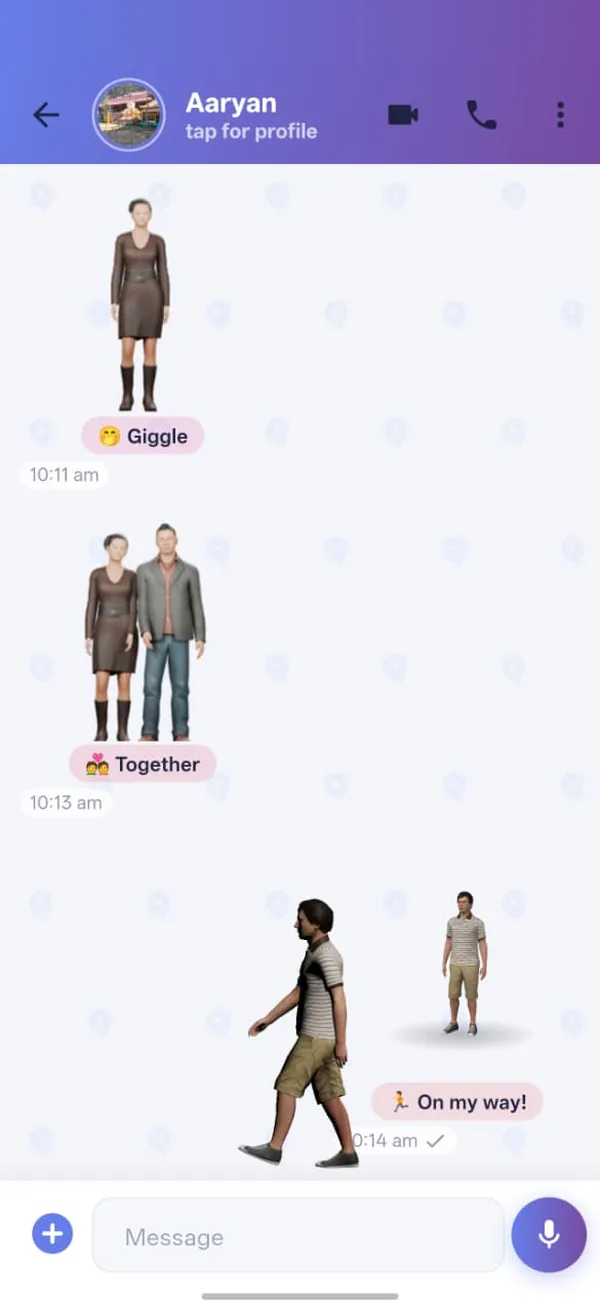
Keep conversations going with messages, photos and voice notes. React with ❤️ 🤩 😂 and watch it burst on screen, celebrate together with shared moments, pick a chat theme — or send an animated 3D character.
05Voice & video callsNew
Call your friends over the internet with one tap from any chat — voice or video. Incoming calls ring even when the app is closed, and you can mute, switch to speaker or flip the camera mid-call.
06Drop-in groups
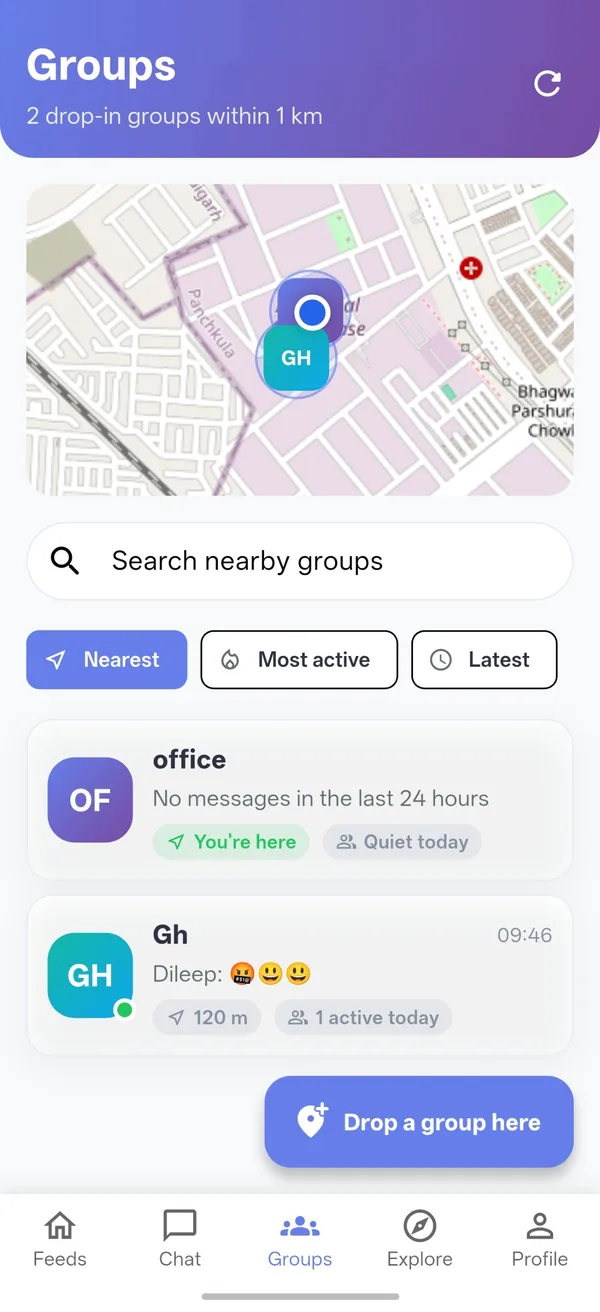
The Groups tab shows drop-in groups within about 1 km of you on a map. Sort by nearest, most active or latest, join the conversation — or drop a new group right where you are.
07Nearby Offline Chat
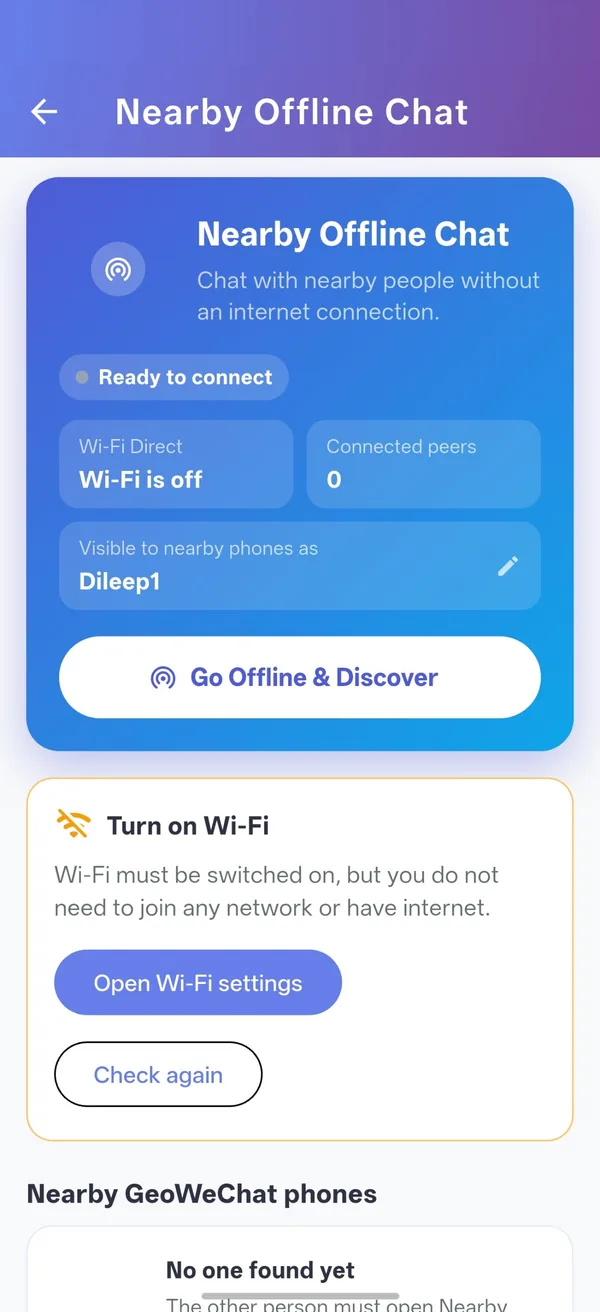
Nearby Offline Chat connects GeoWeChat phones close to each other over Wi-Fi Direct. Turn Wi-Fi on — no network or data needed — choose the name others see, and start chatting or make a voice or video call.
No internet needed
08Geo Quests
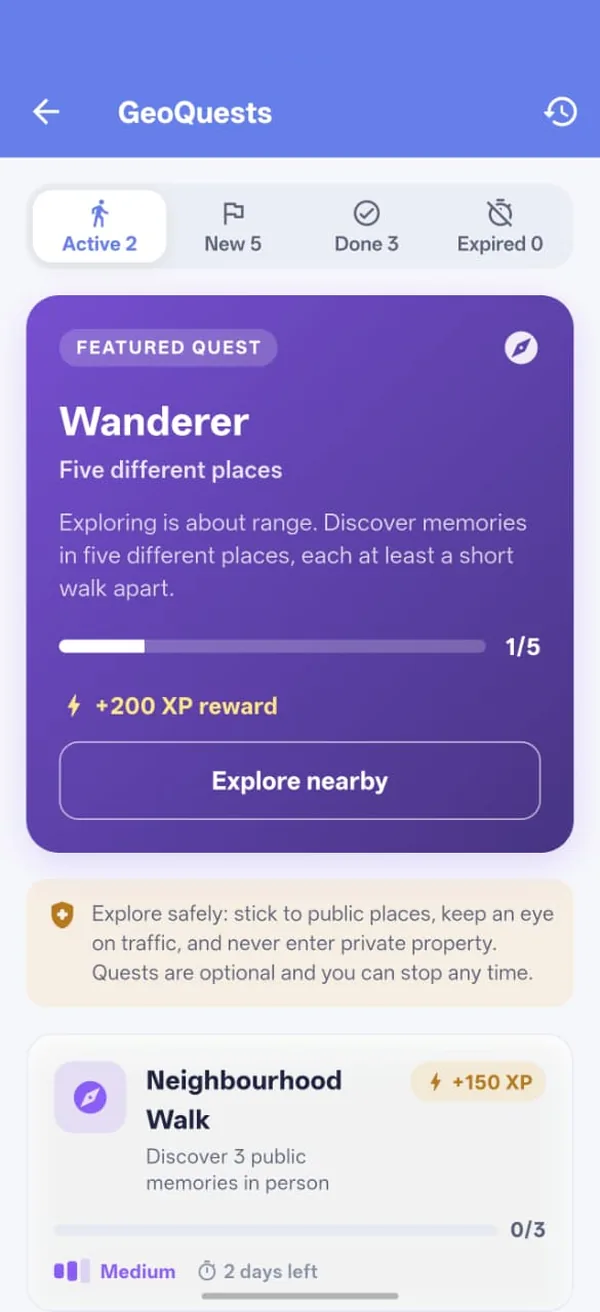
Geo Quests send you to places nearby: visit, snap a photo and complete the quest. Rewards show up in your Earnings and can be withdrawn to UPI. You can create quests of your own too.
Rewards paid to UPI
Quest availability depends on your area. Rewards are subject to the quest rules shown in the app.
09Secrets & puzzles
Post a secret memory and let others guess what it hides. It turns ordinary places into small adventures. Try a sample riddle right here.
Secret memory · Website demo
“The more you take, the more you leave behind. What am I?”
Answer: footsteps. A sample memory for this demo — in the app, a secret memory like this would be tied to a real place.
This is an interactive website demo only. It doesn’t create, unlock or access any real memories in the GeoWeChat app.
3D chat charactersNew
Say it with a character. In any chat, send a 3D friend who waves, blows a kiss, hugs, dances or celebrates — with real facial expressions. Try them right here.
Anaya & Vihaan
Holding hands, hugs and a sweet cheek kiss
Characters are built from the Microsoft Rocketbox Avatar Library (MIT licence) with extra poses and expressions by GeoWeChat.

Try it hereNew
This is how chatting feels in GeoWeChat. Tap a message, react, set off a shared moment or switch the theme — the same reactions, moments and themes as in the app.
React to the selected message
Shared moments
Chat theme

Play, earn & get noticed
Every memory, quest and conversation counts towards something.
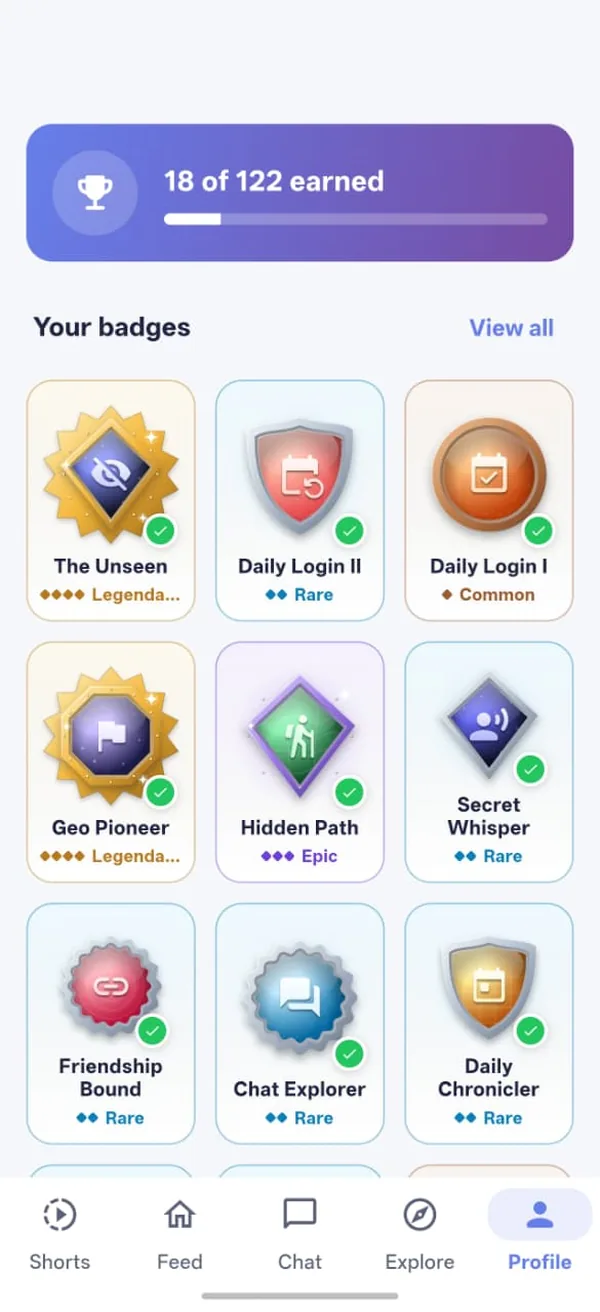
Earn XP from missions and in-person discoveries, level up and unlock badges — from rare to legendary. Progress is checked on our servers, so every badge is earned.
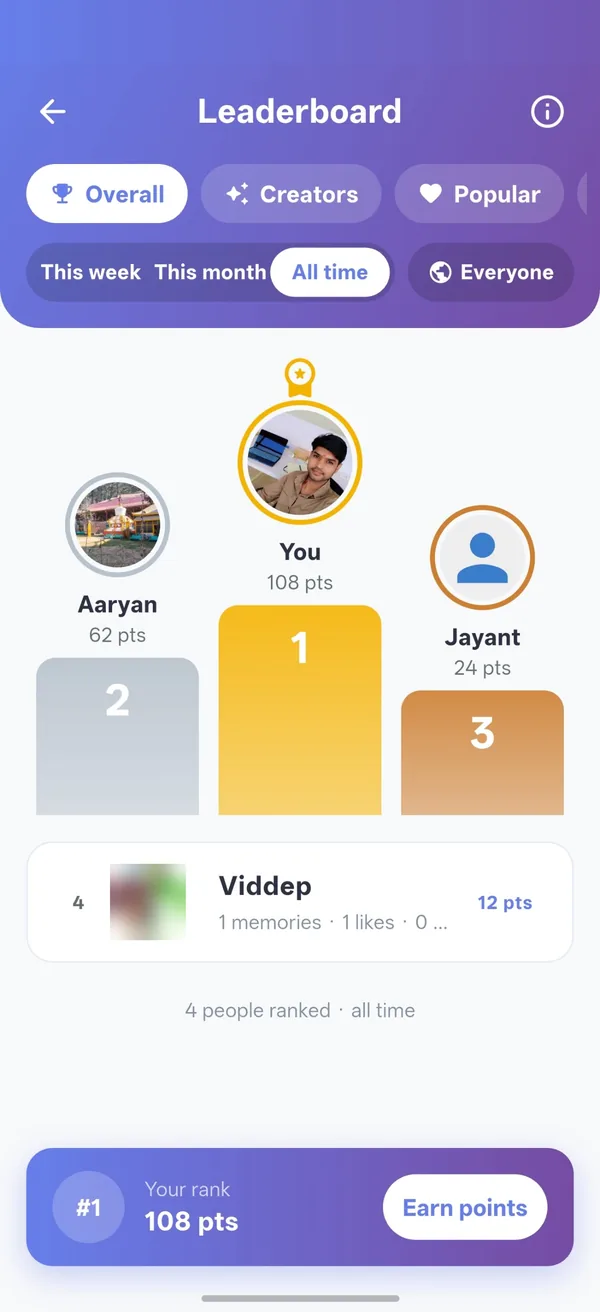
See who’s leading overall, as a creator or by popularity, this week, this month or all time.
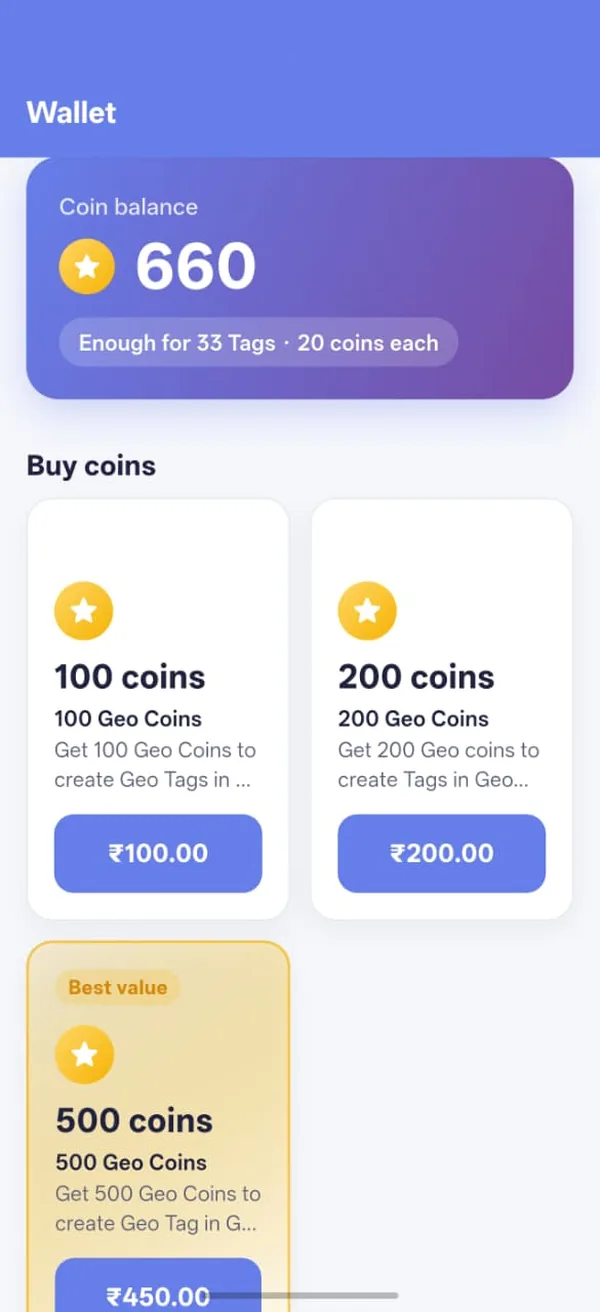
Put a place on the Tags map with a sponsored listing. Buy coin packs in your Wallet to create Tags.
How it works
Open Explore to see missions, quests, groups and the Discovery map of memories around you.
Walk to a memory to discover it in person, solve a secret, or post your own at the place where it happened.
Like, comment, chat, join a drop-in group and climb the leaderboard.
App preview
Real screens from the GeoWeChat app. Use the tabs, the arrows or swipe on the phone.
Memories from friends and nearby places, with likes, comments, views and tags.
Privacy & safety
Sharing moments tied to real places should feel safe. Please review our Privacy Policy to understand how location data, visibility settings, payments, data storage and third-party services are handled.
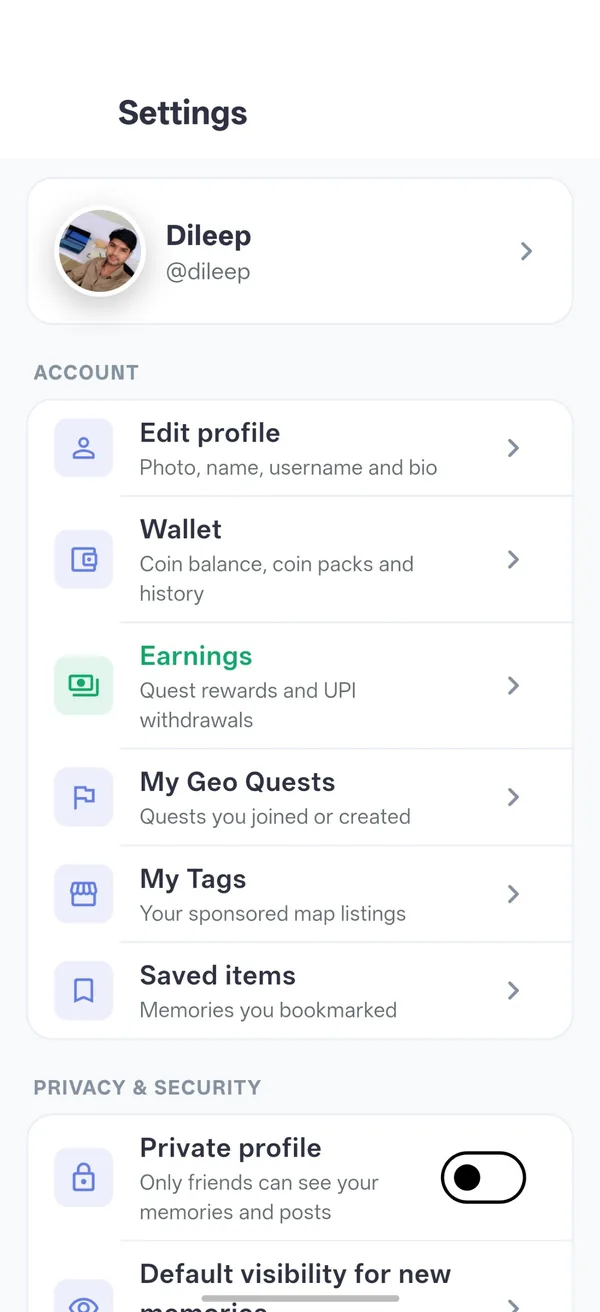
Turn on Private profile in Settings so only friends can see your memories and posts.
Choose the default visibility for new memories, and see at a glance whether a post is public.
Location features rely on the permission you grant on your device, which you can change at any time.
Report posts or accounts that break our Community Guidelines from the ••• menu, or via Support.
FAQ
Quick answers about GeoWeChat. Can’t find what you need? Visit Support.
GeoWeChat is a location-based social app that connects digital memories to real-world places. You can post Memories, explore what’s around you, join drop-in groups nearby, take on Geo Quests, collect badges and chat with friends — even without internet using Nearby Offline Chat.
A Memory is a post — a photo, video or text — linked to a real place. Add a title and tags, choose who can see it, and it appears in feeds and on profiles for the people allowed to view it. Others can like it, comment, save it and share it.
Open the Explore tab. From there you can start Missions, browse Geo Quests near you, the Tags map of sponsored places and Groups around you, and open the Discovery map to see memories, videos, tags and secrets others have shared nearby. When you’re within 150 m of a memory you can discover it in person, which counts towards your missions. Location-based features use your device’s location, so you’ll need to allow location access.
Yes. In Settings you can turn on Private profile so only friends can see your memories and posts, and set the default visibility for new memories. Each post also shows whether it’s public.
Location-based features — such as Geo Quests, drop-in groups and memories tied to places — need permission to access your device’s location. You can change it at any time in your device settings. Read our Privacy Policy to learn how location data is used and stored.
Without location access you can still use features that don’t depend on where you are, such as chat and your profile.
The Chat tab holds your conversations. You can send messages and voice notes, reply to a specific message, react with a heart, send a wave and share memories. You can also join drop-in groups near you, or use Nearby Offline Chat to talk with people close by without internet.
Use the ••• menu on a post or profile in the app to report it, or contact us through the Report a Concern section of our Support page. Reports are reviewed against our Community Guidelines. If someone is in immediate danger, contact local emergency services first.
You can request deletion of your account and associated data. Our Account Deletion page explains the in-app steps, how to request deletion if you can’t access the app, and what data is deleted or may be retained.
Shorts are vertical videos of up to 2 minutes. Watch them in the For You, Following and Nearby feeds, and make your own in the Shorts Studio with trimming, text, stickers and colour filters. You choose who can see each Short.
Animated 3D friends you can send in any chat. Pick a character and an action — wave, kiss, hug, dance, party and more — and it plays out with real facial expressions on both screens. Try them above.
GeoWeChat for Android is distributed through Google Play. Use any Download button on this website to open the store listing.
Download
Explore GeoWeChat and discover a new way to experience the world around you.